Generate high-quality CFD meshes with hex-dominant unstructured and structured Cartesian engines. Control wall resolution and local refinement in Studio, through the REST API or with an AI agent.
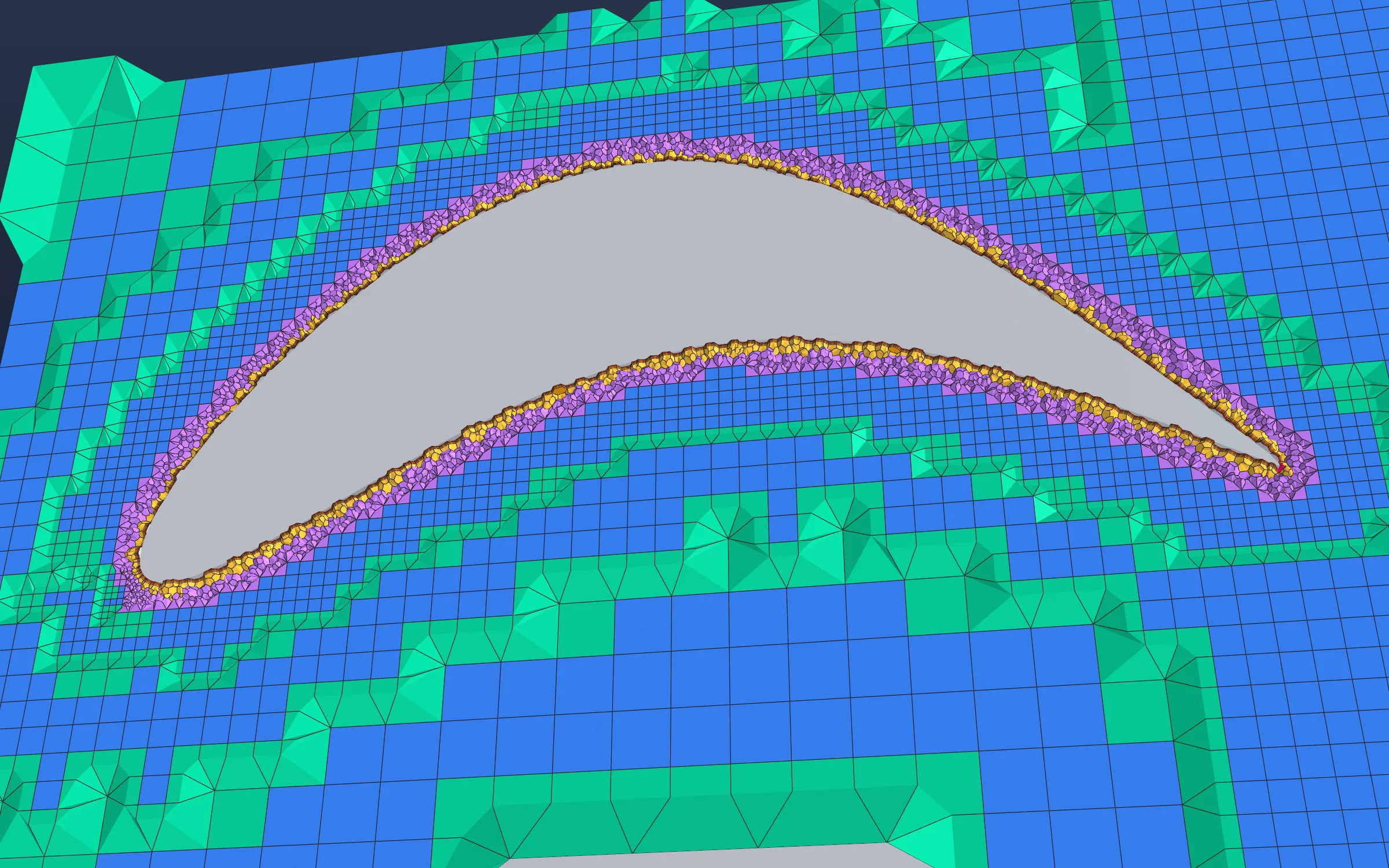
Body-fitted cells at the wall. Local refinement around the surface. A hexahedral core across the wider domain.
Choose around the engineering
Two engines. One workflow.
Choose body-fitted unstructured meshing or a structured Cartesian grid. Both connect geometry, resolution controls and mesh review to the simulation that follows.
01 / Hex-dominant unstructured
GD Hex-core Meshing
Fit the boundaries. Resolve the walls.
A hexahedral core for the bulk flow, body-fitted near-wall regions and polyhedral fill cells to connect them. Build resolution around complex surfaces while keeping the wider domain efficient.
Prism boundary layers
Control layer count, first-cell height or target y+, and growth to match the intended wall treatment.
Local and wake refinement
Focus resolution around named parts, narrow features, geometric regions and downstream wakes.
Fluid and solid regions
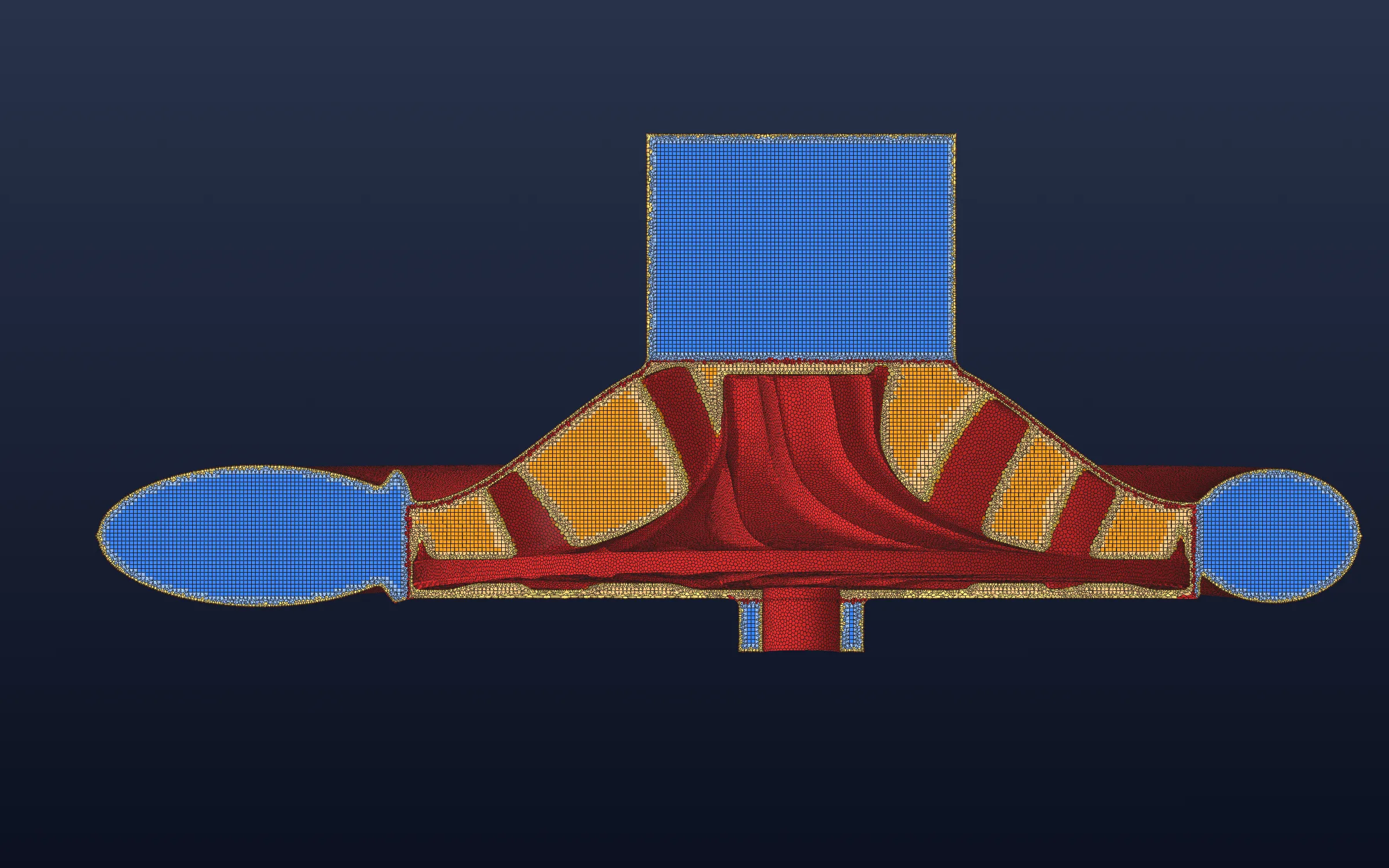
Mesh named STEP assemblies for supported multi-region and conjugate heat transfer workflows.
Choose it forComplex geometry, body-fitted boundaries and dedicated wall layers.
A Cartesian engine with explicit spacing and flow-region selection. Use repeatable grids and directional resolution for geometry screening, parametric studies and simulation workflows suited to a structured mesh.
Cartesian cell spacing
Set base resolution and supported directional spacing to suit the geometry and flow.
Targeted refinement
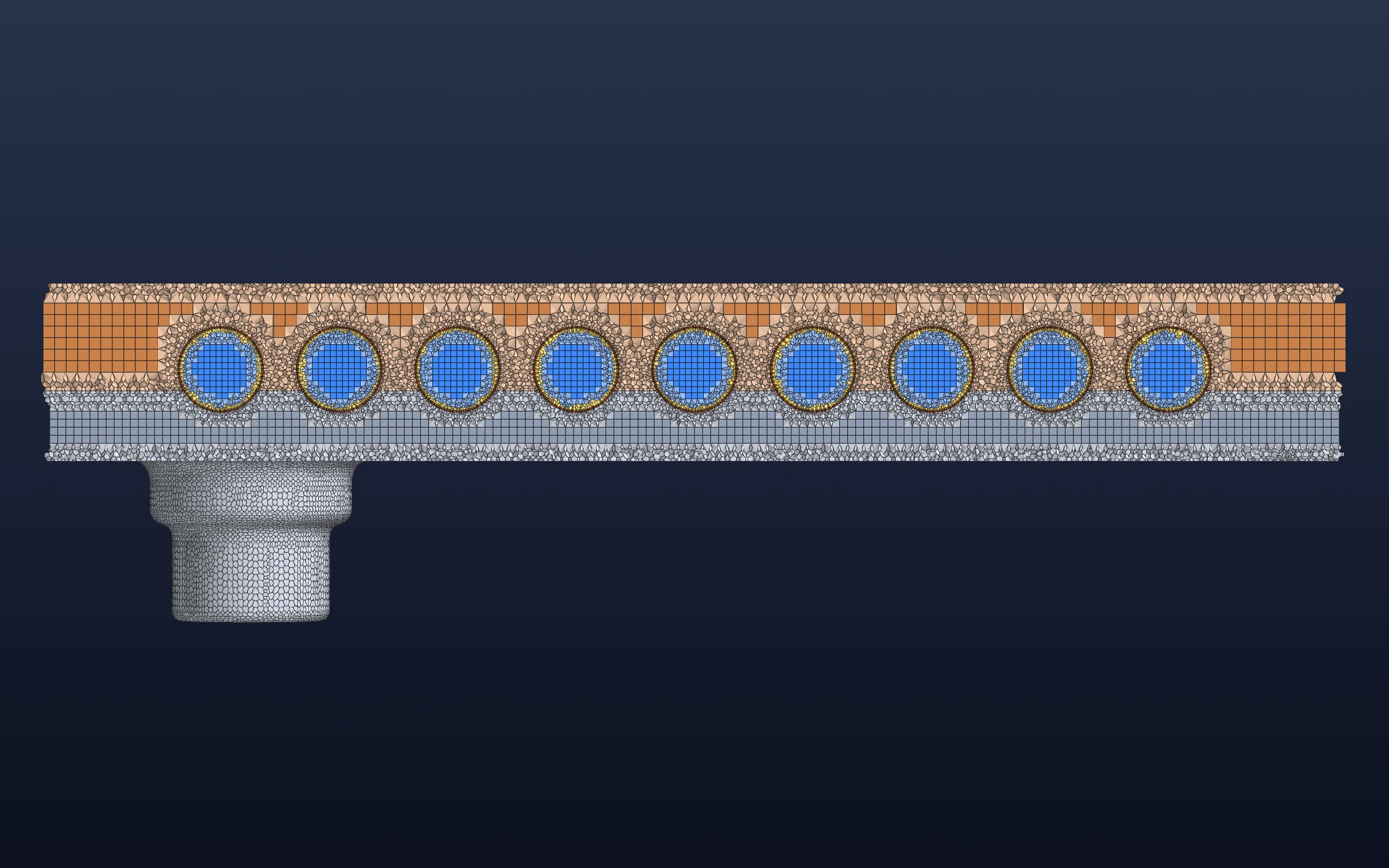
Use refinement windows to add resolution around passages, gaps and other regions of interest.
Boundary representation
Choose stair-step or cut-cell representation. Near-wall resolution uses grid refinement rather than extruded prism layers.
Choose it forRepeatable resolution, directional spacing and controlled Cartesian refinement.
A section view makes the cell layout around repeated channels and connected regions visible.
03 / Hex-core
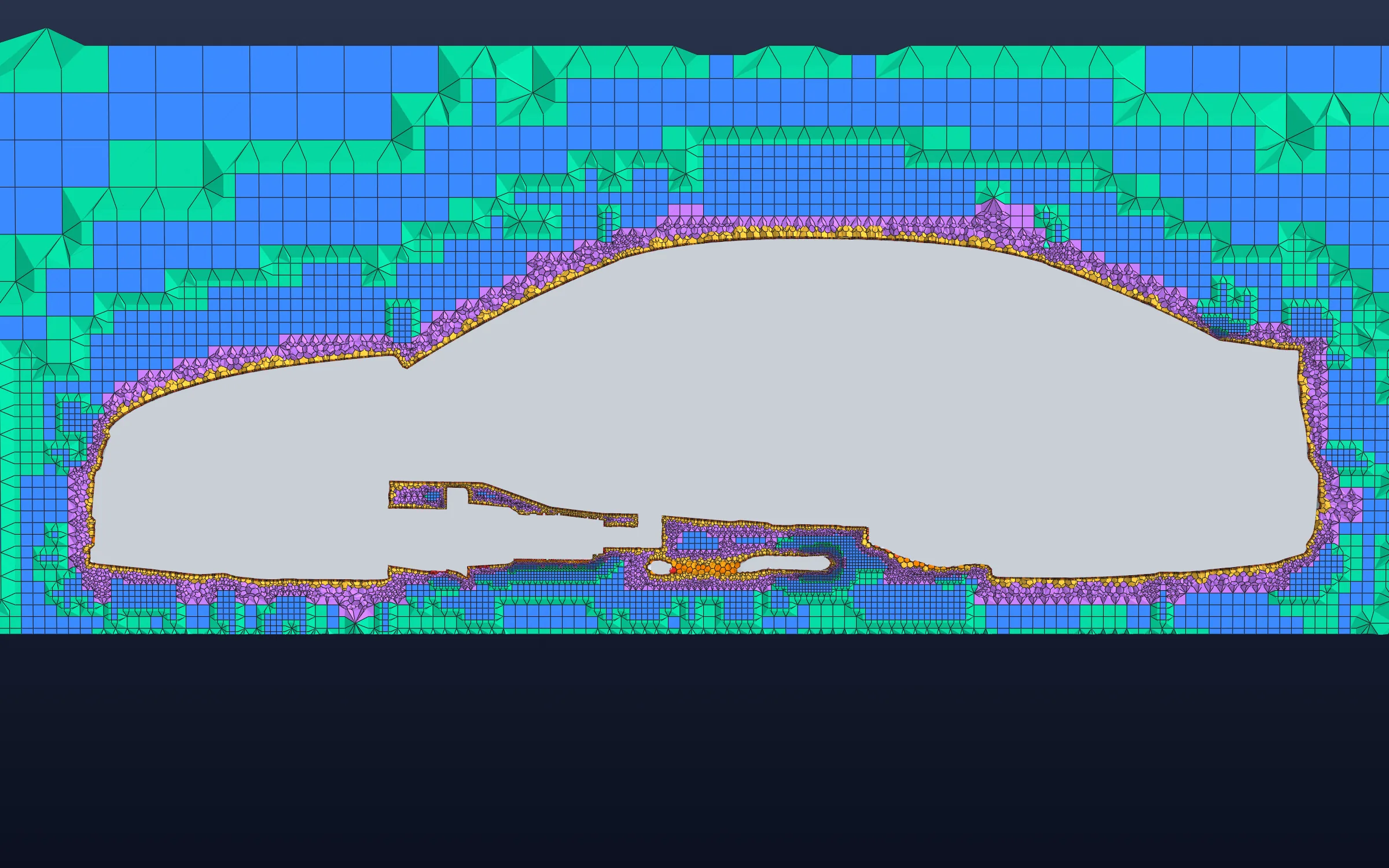
Vehicle aerodynamics
Local refinement follows the vehicle surface and underbody, with coarser cells farther from the geometry.
High-quality meshing for CFD & FVM
Good cells. Useful resolution.
In the finite volume method (FVM), the mesh defines the control volumes where conservation is evaluated. Cell quality, boundary fidelity and resolution all contribute to a useful engineering answer.
01 / Quality
Preserve the geometry
Inspect passages, curvature, gaps and region interfaces. Confirm that the mesh represents the surfaces and volumes your analysis needs.
02 / Quality
Review the cells
Check positive volumes, skewness, non-orthogonality, aspect ratios and size transitions in the quality report and the mesh itself.
03 / Quality
Resolve the physics
Review wall layers, wakes and thermal interfaces. Compare the engineering outputs across refinements to establish adequate resolution.
Studio, REST API and MCP use the same central meshing service. Inspect geometry, discover the controls, validate a request and estimate its cost before generating the mesh. Keep the resulting artifact and quality evidence with the simulation workflow.
Studio
Work visually.
Inspect the geometry, choose the meshing route and set the resolution in the browser. Review sections, boundaries and quality before moving into simulation.
Discover typed controls, validate the request and track the resulting job. Reuse the setup across design variants and retain mesh artifacts and quality evidence for each run.
Practical answers on automated CFD meshing, hex-dominant and Cartesian grids, boundary layers, exports and agent workflows.
What is automated CFD meshing?
Automated CFD meshing turns geometry into the volume cells used by a computational fluid dynamics solver. Gradient Dynamics connects geometry inspection, domain setup, resolution controls, mesh generation and quality review in a repeatable workflow. Engineers can work in Studio or use the REST API and MCP to automate those steps.
Should I use a hex-dominant or structured Cartesian mesh?
GD Hex-core Meshing is a useful starting point when complex surfaces, body-fitted boundaries and prism wall layers matter. GD Structured Meshing suits repeatable Cartesian resolution, directional spacing and controlled refinement windows. Choose around the geometry, wall treatment and engineering outputs, then compare mesh sensitivity for the intended calculation.
GD Hex-core Meshing supports prism-layer controls for layer count, first-cell height or an estimated target y+, and growth. Inspect the delivered layer coverage and check achieved y+ after solving. The structured Cartesian engine resolves near-wall regions through grid spacing and refinement; it does not extrude prism layers.
A useful finite volume method (FVM) mesh combines sound cell geometry with resolution in the right places. Review cell volumes, skewness, non-orthogonality, aspect ratios and size transitions, as well as boundary coverage and region identity. Establish adequate resolution by comparing the quantities you care about, such as pressure drop, force or temperature, across a deliberate refinement sequence.
Yes. Start with supported CAD or surface geometry, including outputs from Gradient Dynamics Geometry. Inspect the actual artifact, units, boundaries and physical regions before meshing. STL scale needs particular care because the file may not record units. For STEP assemblies, retain meaningful solid and region names.
Can I mesh fluid and solid regions for conjugate heat transfer?
Supported multi-region workflows preserve distinct fluid and solid regions for conjugate heat transfer (CHT). The Hex-core STEP route uses a named multi-solid assembly with explicit fluid and solid volumes. Review region identity, interfaces, inlet and outlet coverage before assigning materials and running the thermal simulation.
The meshing service supports CGNS, Gradient Dynamics simulation meshes, Fluent .msh and OpenFOAM mesh archives where the connected service advertises the corresponding export capability. Choose the export independently of the meshing engine and check the delivered artifact, units, boundaries and region mapping in the receiving workflow.
Yes. Studio, REST and MCP submit jobs through the same central service. An agent can inspect geometry, discover typed mesh controls, plan supported Hex-core requests, validate the configuration, estimate cost and submit a mesh. The saved mesh, measured cell count and quality report provide evidence for the next step.